Dopahar ke 2 baj rahe hain, Saddar mein shop khachakhach bhari hui hai, and K-Electric decides to cut the light. Your billing screen goes dark and the customer at the counter has already opened his wallet. Ab kya karein?
For most Karachi dukandars this isn't a rare accident, it's Tuesday. Load-shedding, weak internet in the gali, a laptop running paid software that quits the moment the connection drops. And before any of that, there's the udhaar register: three fat bahi-khatas and one regular customer who swears he owes Rs 4,000 when your book clearly says Rs 6,500.
Sauda was built for exactly this shop.
Why most POS software fails a Karachi shop
Walk into any software shop on Abdullah Haroon Road and you'll be sold a "billing system" for Rs 1,500 to 5,000 a month. It looks fine in the demo. Then the problems start.
It needs internet just to log in, so a Landhi power cut freezes your counter mid-sale. The interface is in English, which slows down a cashier who thinks in Urdu. And your hisaab sits on someone else's server, so stop paying and you lose your own records.
You need software that works in your dukan, not a startup's office.
Sauda is free, forever. No subscription, no card, no trial that quietly expires. It runs fully offline, so bills, khata, and stock all save to the device first and sync later once the net returns. The whole app is in Urdu and Roman-Urdu, with an English toggle if you want it.
Built for how Karachi actually does business
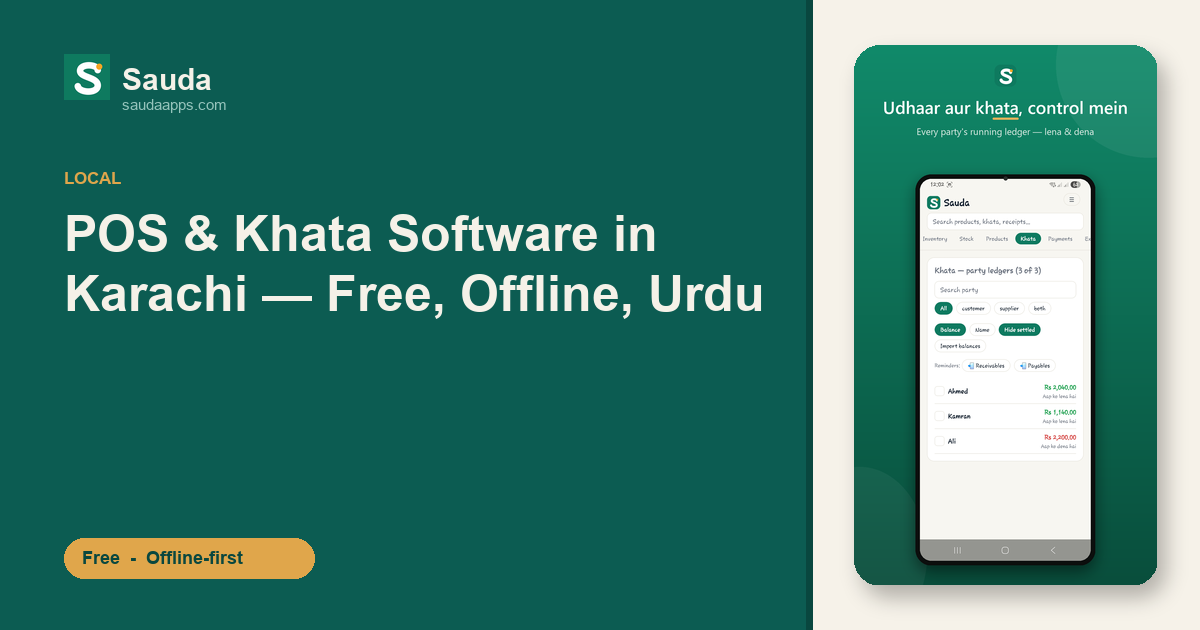
Udhaar is the heart of it. Most sales in a Karachi karyana or wholesale shop aren't cash-and-done. Sauda keeps a running khata for every customer and supplier, showing who owes you and who you owe, updated with each entry. When a purana customer argues about his balance, open his ledger and show him every date. Argument khatam.
One shop or five, one owner. Plenty of Karachi traders run a counter in Saddar and a godam in SITE or Korangi. Sauda tracks stock and sales across every location in one account. Give your manager, cashier, and accountant their own logins: the cashier bills, you see everything.
Stock warns you before it hurts, too. Low-stock alerts flag what to reorder before a fast-mover empties off the shelf, and item-level expiry alerts catch stock about to go bad before it becomes a loss. No pre-loaded medicine list, no batch tracking, just plain item-level alerts.
Underneath, double-entry accounting runs on its own with every sale, udhaar payment, and purchase, so the roznamcha, profit reports, and party statements build themselves. Sales tax stays off unless you switch it on. Scan barcodes at the counter, or let Sauda generate one for loose items, and run basic payroll for your staff.
It runs on the counter PC, not just a phone
This is where paid local vendors usually can't compete. Sauda works on Android, on the web in any browser, and as a real Windows desktop app for your counter computer. All three stay in sync automatically. Bill on the desktop during rush hour, check your hisaab on your phone at home that night. Same data, no copying by hand.
For a busy Bolton Market wholesaler during Ramzan rush, or a mobile shop in Saddar's Rainbow Centre, a proper keyboard beats tapping a phone all day.
See how the offline sync keeps working through load-shedding, how the khata and udhaar ledger replaces your paper bahi-khata, and how multi-shop inventory ties your counter and godam together.
Ready to try free POS software in Karachi?
You don't have to shift your whole shop in one day. Download Sauda, add ten products and two udhaar customers, and run tomorrow's sales alongside your register. Dekh lo if it fits your counter.
Download Sauda free — Android, Windows, or web. No card, no monthly fee, no catch.
FAQ
Is Sauda really free, or is there a hidden charge later?
Free, forever. No subscription, no per-month fee, and you never enter a card. Your shop's data stays yours.
Will it work during load-shedding when the internet is down?
That's the whole point. Sauda is offline-first: billing, udhaar, and stock keep working with zero connection, and it syncs on its own once you're back online.
Is the app in Urdu?
Haan. The interface is in Urdu and Roman-Urdu by default, with an English toggle. A cashier who thinks in Urdu won't slow down.
Can I use it on my counter computer, not just a phone?
Yes. There's a proper Windows desktop app, an Android app, and a web version, all synced together.
Does it handle sales tax?
Tax is off by default, so a normal shop never sees tax fields on the selling screen. Optional sales-tax fields are there if you ever need them.