Picture the counter at a busy karyana on a Saturday shaam. Phone battery at 9%, three customers waiting, and the udhaar bahi is open under the weighing scale with a pen that's about to run dry. You're trying to type every lena-dena on a small phone screen while a wholesaler's munshi rattles off a payment on call. It slows you down. This is exactly where a proper screen and keyboard earn their keep.
A lot of dukandars already keep khata on their phone. Fewer know they can run the same hisaab on the shop PC or laptop, on a full screen, with a real keyboard for fast entry. That's the gap this post is about.
Why the PC still matters at the counter
Your phone is personal. It goes home with you, it rings during a sale, it dies by Maghrib. The counter PC stays put. It's plugged in. On a UPS or battery it rides out most load-shedding, so it's ready when you are. The screen is big enough to see a party's whole khata at a glance, and a keyboard lets your cashier punch in a bill far quicker than thumb-typing.
Faster entry sounds like a small thing until you count it. Shave a few seconds off each bill, and across 150-plus bills a day that's real minutes back. For a wholesaler in Faisalabad's cloth market running fifty-plus parties, or a hardware shop on Lahore's Hall Road with a long day-book, it adds up over a month.
One app, or four?
Plenty of apps will show you a party's balance. That's the easy part. The real question is whether the same tool handles everything else your dukan runs on, or whether you end up juggling one app for udhaar, a register for stock, and a calculator for the day's total.
Honest baat: Sauda isn't the only khata option you can open on a PC. Udhaar Book and Digikhata have web versions too. Where Sauda pulls ahead is breadth. It's one free app that carries the whole shop, not just the ledger.
Here's what runs inside it on your Windows desktop:
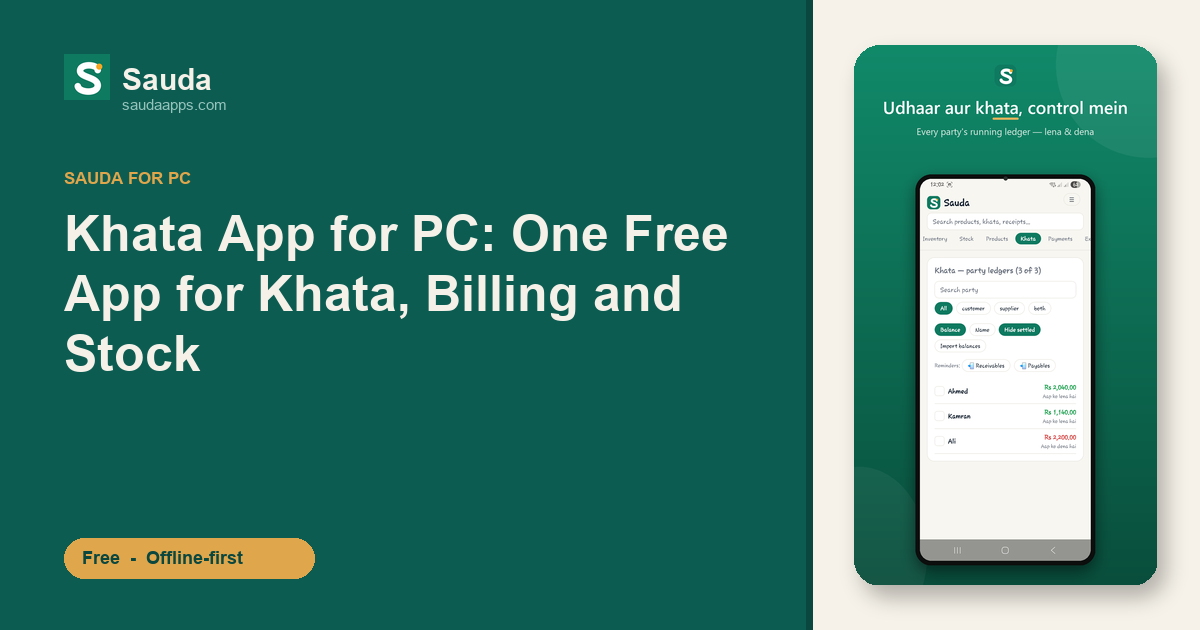
- Khata and udhaar. Every party's lena-dena in a running khata ledger, the same book view you already trust, just cleaner and searchable.
- POS billing with barcode scanning. Ring up sales fast, and blank-barcode items get an internal EAN-13 generated for you.
- Stock across shops and godams. Multiple locations, low-stock warnings, item-level expiry alerts so nothing dies quietly on the shelf.
- Accounts and reports. Proper double-entry runs underneath, a roznamcha day book records the day, and profit and party (khata) reports tell you where you actually stand.
Roles matter too. Owner, manager, cashier, accountant, each person gets the access that fits, so your salesman rings up bills without seeing your profit.
The mix suits more than one kind of shop. A medical store on Karachi Saddar leans on the expiry alerts and party balances. A mobile and electronics shop wants fast barcode billing. A karyana wants the khata clean and the day's total right.
Truly offline, truly free
Internet in most bazaars is a coin flip. So Sauda writes everything to the PC first and syncs to the cloud when a connection comes back. Bijli chali gayi, net gaya, your billing and khata don't stop. When you're back online, the desktop, your Android phone, and the web all fall into line automatically.
That's the real payoff of running khata on a PC: your cashier bills on the counter PC, you check the same party balance on your phone at home, and both stay in agreement without anyone re-typing a thing.
And free means free. No monthly subscription, no card on file, no trial that quietly starts charging. The app is in Urdu and Roman-Urdu with an English toggle, so whoever sits at the counter can read it comfortably.
A few honest limits, so you know what you're getting. Sauda doesn't do batch or lot tracking, there's no pre-loaded medicine database, and it has no FBR or tax fiscalization. Sales tax fields are optional and stay off unless you switch them on. If your shop needs those things, plan around it.
Getting started
Install it on your Windows PC, sign in, and add a few parties and items to feel it out. If you already use it on your phone, the desktop picks up the same data once it syncs, nothing to migrate by hand. And if it earns a spot at your counter, forward it to the next dukandar on WhatsApp, that's how most shops find it anyway.
Your hisaab deserves a full screen and a keyboard.
Download Sauda free and run your khata, billing, and stock from one app.