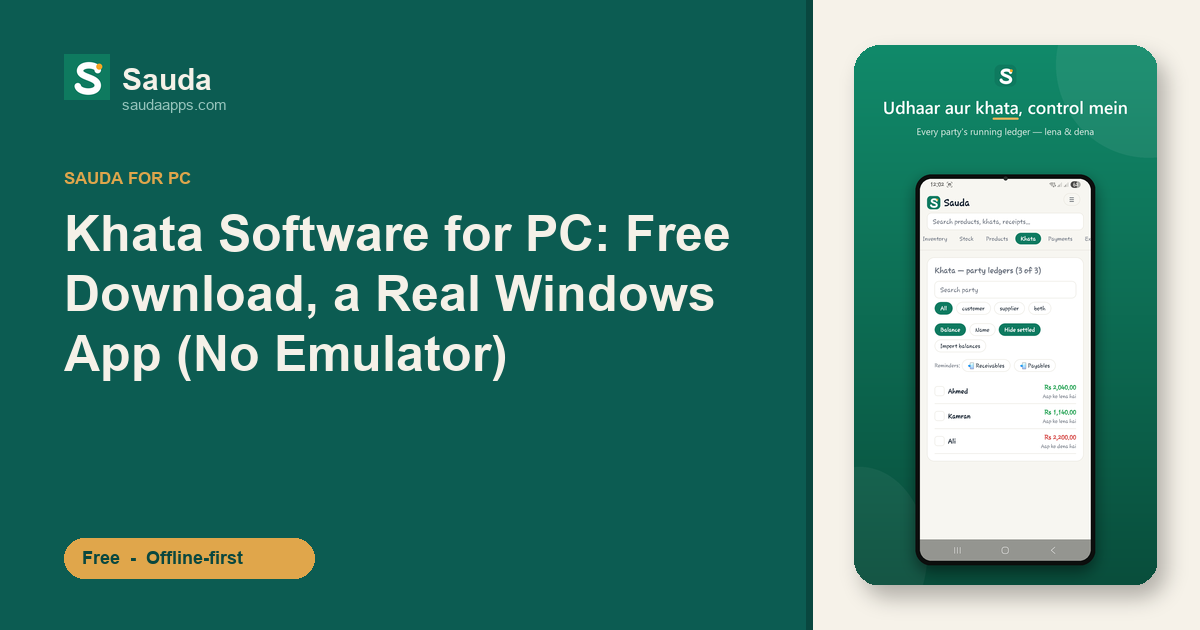
Picture the counter at 7pm. Customers three-deep, the bijli just went, and your bahi-khata is open next to the register while you scribble another udhaar entry by candlelight. You want that same khata on the shop PC. Bigger screen, proper keyboard, faster typing. So you search for khata software for pc free download, and Google hands you a pile of pages telling you to install BlueStacks, then run some Android app inside it.
Don't. What breaks first is the thing you can least afford: the billing screen freezes mid-sale, customer waiting, drawer open.
Sauda is a real Windows desktop app. You download it, it installs like any normal program, and it opens on its own. No emulator, no Android-in-a-window, no 4GB of extra software just to keep one khata.
Why running a khata app through an emulator is a bad idea
An emulator like BlueStacks is a full fake Android phone running on top of Windows. To keep a khata that way, your PC runs Windows, then runs a pretend phone, then runs the app inside the pretend phone. Three layers deep on hardware that was cheap to begin with.
On the counter that costs you real time. A 4GB counter PC, the kind most dukans actually have, can lose a big chunk of its memory to the emulator before you've rung up a single sale, and you sit there watching a fake phone boot for a minute or two every morning before the shop can trade.
Two things you'll feel every day:
- The billing feels wrong. A phone app stretched onto a big monitor has tiny buttons and a parchi meant for a 6-inch screen.
- Your hisaab lives inside the emulator's storage. If BlueStacks breaks or an update goes bad, prying your data back out is a job for a computer wala, not you.
Aap dukandar hain, IT wale nahi. A khata should just open and work.
Sauda is a proper Windows app, and it's free
Here's the plain version. Sauda is free to download and free forever. No subscription, no monthly fee, no card asked at signup. Urdu and Roman-Urdu screens with an English toggle, so whoever sits at the counter can read it.
The full khata is there on the PC. POS billing with barcode scanning (and an auto EAN-13 for items with no barcode), udhaar and lena-dena party ledgers that hold every customer's running hisaab just like the bahi-khata, and inventory across your dukans and godams with low-stock and item-level expiry alerts.
Underneath sits proper double-entry accounting, a roznamcha day book, profit and party reports, basic payroll, and roles for owner, manager, cashier and accountant. Tax stays off unless you switch it on, so the selling screen carries nothing you don't need.
And the data is yours. You can export it to Excel whenever you like, so nobody is holding your hisaab hostage.
Works fully offline: bijli aur internet ki tension nahi
This is the part the emulator route can't match. Sauda writes everything to your PC first. No internet needed to make a sale, add an udhaar, or check a party's balance. Load-shedding hits, the net drops, you keep billing, and a sale still closes in a second or two. When the connection comes back, it syncs on its own in the background. Nothing gets lost.
Same khata on phone, PC, and web
Sign in with the same phone number on the counter PC and on your Android phone, and both share one khata. Ring up a sale on the desktop and it shows on your phone by the time you've walked to the back of the shop. Your accountant can open the web version from home to check the roznamcha. It all syncs automatically.
How to download Sauda for your PC
- Open saudaapps.com on the shop computer.
- Click the Windows download and run the installer. It's a normal
.exe, same as any Windows program. - Open Sauda, make your shop account (phone number, that's it), and start entering parties and stock.
- Want it on your phone too? Install the Android app and sign in with the same number. Both screens now share one khata.
No emulator to configure. It runs on the ordinary counter PCs that are already a few years old.
Word travels fast in the bazaar, usually a voice note on WhatsApp. A karyana wala in the gali, a Hall Road mobile trader, a Faisalabad cloth wholesaler: none of them want an app that locks their data or starts charging next month. Sauda does neither.
Download Sauda free for Windows at saudaapps.com. A real khata app for your shop PC, no emulator, no monthly fee.